
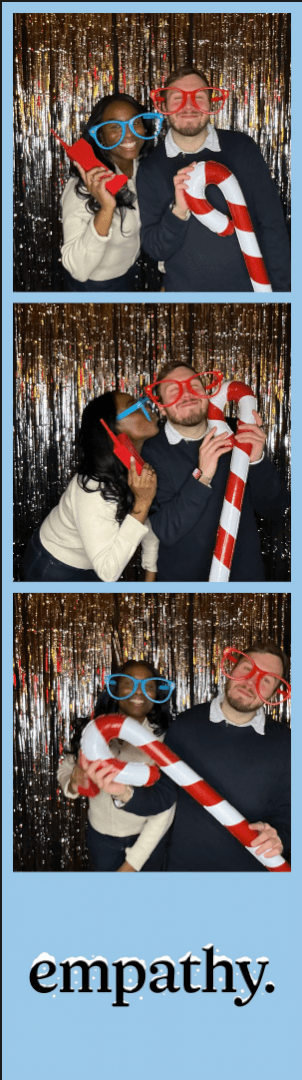
If you're creating your own artwork for a Rent My Booth event, these specifications will help you prepare files that are ready to use. You'll send two separate design elements, a background and a logo. I'll combine them with the guest photos to create the finished photo booth layout.
1. Background Specifications
The background appears behind the guest photos. It can be a solid color, gradient, texture, pattern, or illustration. Please create one continuous image for the full layout. You don't need to leave blank spaces or add photo frames or placeholders. I'll position the guest photos over the background during setup.
Digital photo strips
| Specification | Requirement |
|---|---|
| Dimensions | 2 inches wide × 6 inches tall |
| Pixel dimensions | 600 × 1800 px |
| Resolution | 300 DPI |
| File format | PNG |
| Orientation | Vertical |
Printed photo layouts
| Specification | Requirement |
|---|---|
| Dimensions | 4 inches wide × 6 inches tall |
| Pixel dimensions | 1200 × 1800 px |
| Resolution | 300 DPI |
| File format | PNG |
| Orientation | Vertical |
If your event includes both digital and printed photos, please send a background in each size.
2. Logo Specifications
Please provide your company logo, event name, or event branding as a separate PNG with a transparent background. I'll place it over the background, so choose colors that complement the design and keep the logo easy to see.
- Recommended width: up to 2 inches (600 px)
- Recommended height: 1.5 to 2 inches (450 to 600 px)
- Resolution: 300 DPI
- File format: PNG
- Background: transparent
- Shape: square or rectangular
For example, for a winter design with a white company logo, send the snowflake artwork as the background and the white logo as a separate transparent PNG. Please don't combine the background and logo into one file.
3. Colors and Design Options
We use full-color printing, so you're welcome to use any colors you like. Your background can include:
- Solid colors, gradients, or textures
- Patterns or illustrations
- Event themes
- Your company's brand colors
Your logo can be any color, as long as it remains clearly visible against the background.
4. Final Artwork Checklist
Background file
- PNG format, 300 DPI
- 600 × 1800 px for a digital photo strip
- 1200 × 1800 px for a printed photo layout
- One continuous design, with no photo placeholders, frames, or embedded logo
Logo or event branding file
- PNG format with a transparent background
- Up to 600 px wide and approximately 450 to 600 px tall
- 300 DPI
- Saved separately from the background
Please send the background and logo as separate PNG files. If your event includes both digital and printed layouts, you'll send three files total: one background for each format and one transparent logo.
Ready to Send Your Artwork?
Once I have your files, I'll position the photos and logo and prepare the final layout for your event. If you have questions about file formatting, get in touch and I'll be happy to help.
Rent My Booth · rentmybooth.com